50% OFF Launch sale, MechaPaint is half off.
Click to join in!Come hang out and talk about the future of art as we know it!
PRESS KIT

MechaPaint press kit

Trailer, key art, screenshots, logos, and the facts, all of it open. Nothing here needs a login or a request.

Usage. Every asset on this page is free to use in articles, videos, reviews, and roundups about MechaPaint, in print or online, with no permission needed and no fee. Credit "MechaPaint" where it is practical. Crop and resize freely.

Do not alter the logo's colors or proportions, or use MechaPaint art to imply I endorse an unrelated product.

Need something that is not here? A specific shot, a higher resolution, a model painted on request, a build for review, or an interview: email [email protected] and you will hear back the same day.

Download the whole kit, one zip Fact sheet, plain text Logos, key art, every screenshot below at full resolution, and the fact sheet. The video streams from the section below.

Video

The two minute walkthrough is the trailer: load a model, pick a brush, paint it, get a texture back out. It opens on the app already running, so every second of it is the real thing.

How to use MechaPaint in 2 minutes

The whole loop start to finish. Use it as the embed.

Watch on YouTube All videos and demos

Key art and logos

Click any image to open the full-size file in your browser. Right-click to save it.
MechaPaint wordmark key art, pixel lettering flanking a chrome mecha cat head

Key art, wordmark

The primary banner. Use this one when you need a single image that says MechaPaint.

MechaPaintHeader.pngPNG, 1245 x 366

MechaPaint mecha cat logo on a transparent background

Logo, transparent

Alpha channel, drops onto any background. Best for a byline, a chip, or a small corner mark.

MechaPaintLogoAlpha.pngPNG, 256 x 256

MechaPaint mecha cat logo, full square version

Logo, square

Full square mark for an avatar, a thumbnail, or an app-icon slot in a roundup.

MechaPaintLogo.pngPNG, 1024 x 1024

Screenshots

All shot in the shipping build, unretouched, at 1080p or better. Click one to open it full size.
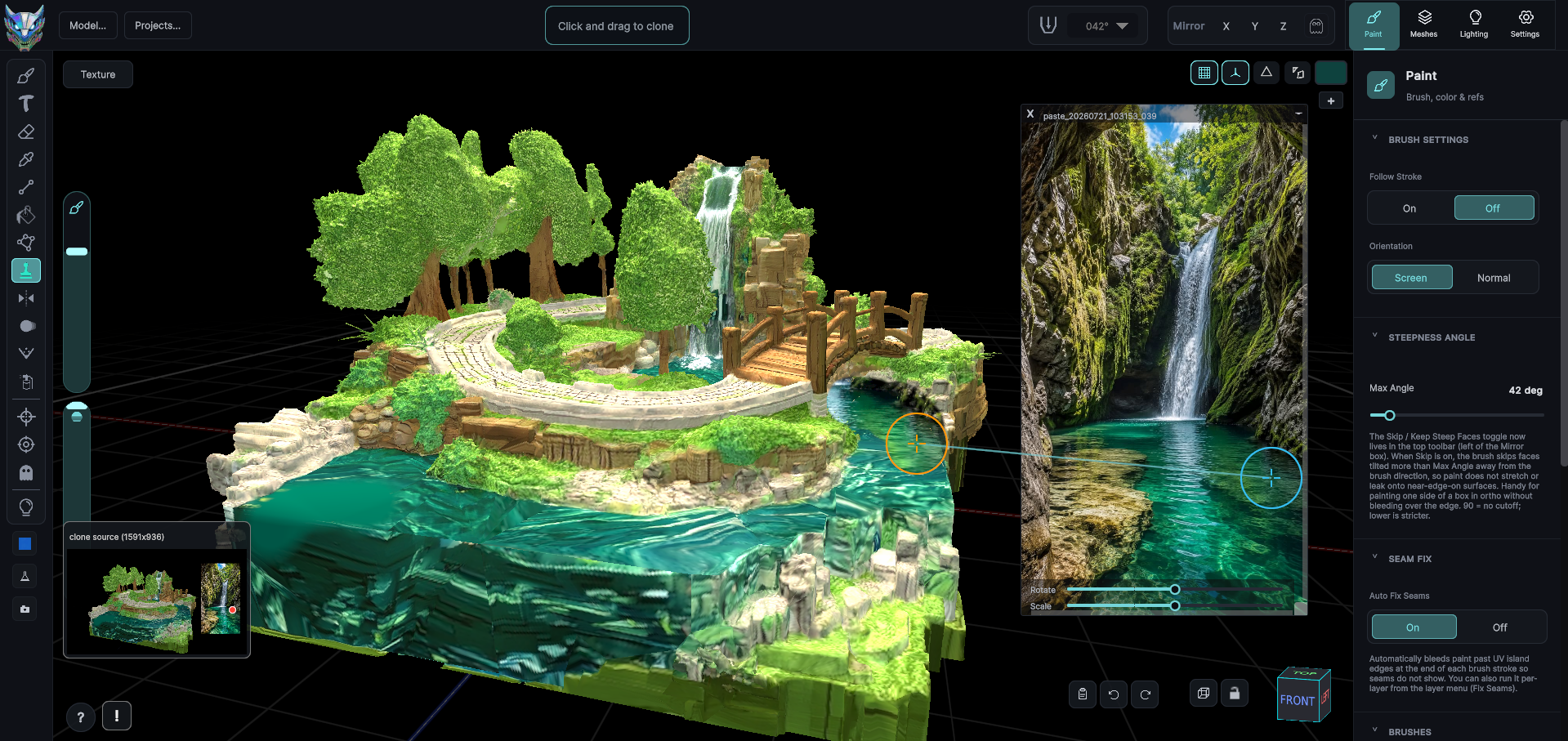
MechaPaint painting a 3D diorama, cloning detail from a pinned photograph of a waterfall onto the mesh

Cloning from a photograph

A photo of a waterfall is pinned over the viewport and cloned straight onto the model's surface. The clone source preview sits bottom left.

Hero3.pngPNG, 1919 x 907

MechaPaint with two photographic references floating over the 3D viewport while a diorama is painted

References over the viewport

Reference images float above the 3D view, drag and resize freely, and can be eyedropped for color without leaving the model.

Hero4.pngPNG, 1658 x 898

A 3D bison being painted in MechaPaint from two photographs of a real bison pinned beside it

Photo to model

A bison textured from ordinary photographs, projected onto the mesh rather than hand-matched in a 2D editor.

Buffalo2.pngPNG, 1653 x 903

An underwater creature model in MechaPaint being painted from a wall of pinned sea-life photographs

Working from a reference wall

A stack of reference photos, a partly painted creature, and the reference tray along the right edge.

TheDarkReef.pngPNG, 1919 x 1034

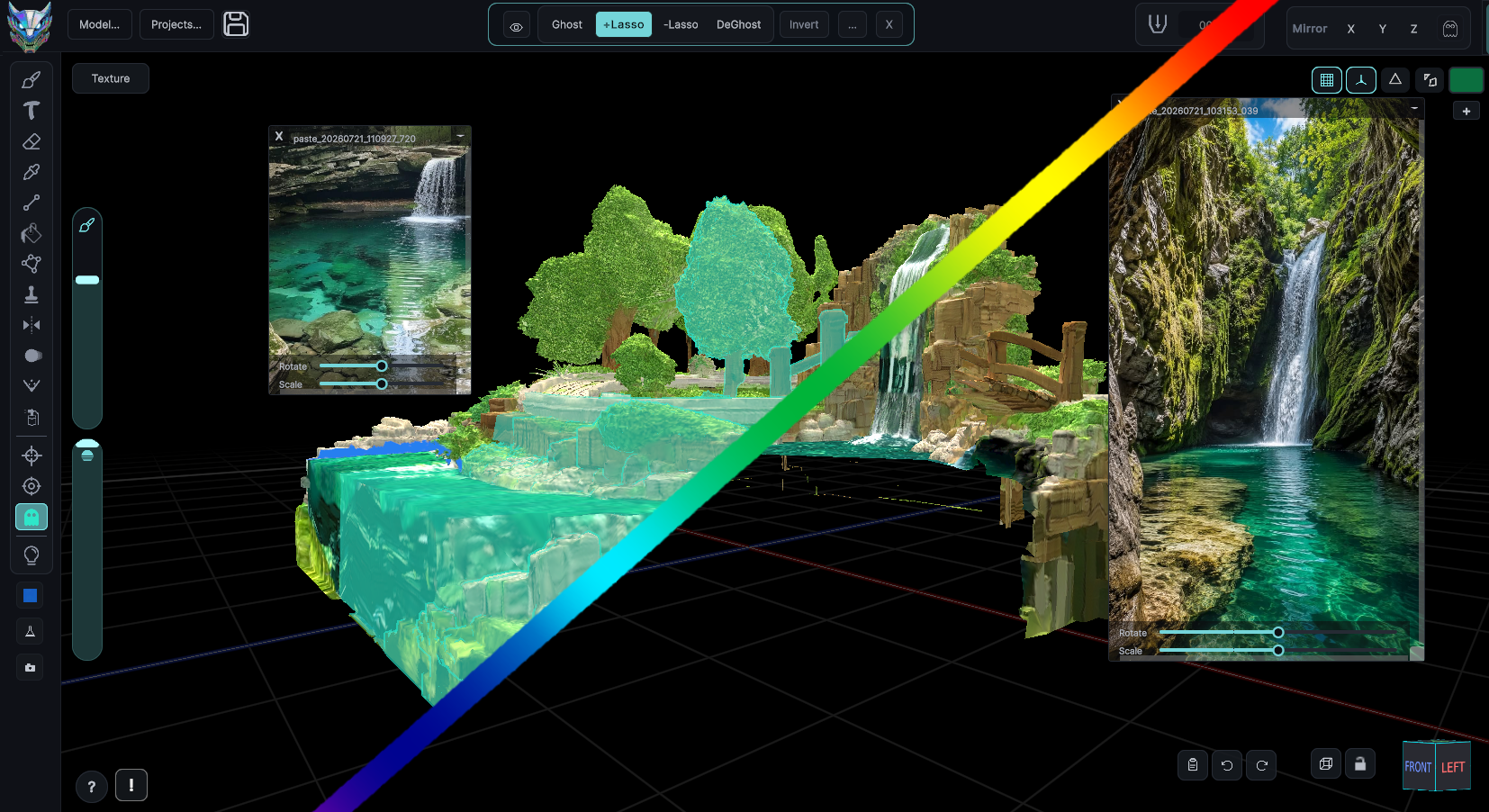
MechaPaint ghost tools making part of a diorama transparent so a brush stroke cannot reach the geometry behind it

Ghosting

Lasso away the geometry that is in your way so a stroke never bleeds onto the far side of the model.

ghost.pngPNG, 1654 x 902

A toy pony model painted in rainbow colors in MechaPaint, with reference images pinned over the viewport

Depth paint

Depth locking keeps a stroke on the surface you started on, so a near ridge and the valley behind it stay separate.

Pony.pngPNG, 1919 x 1033

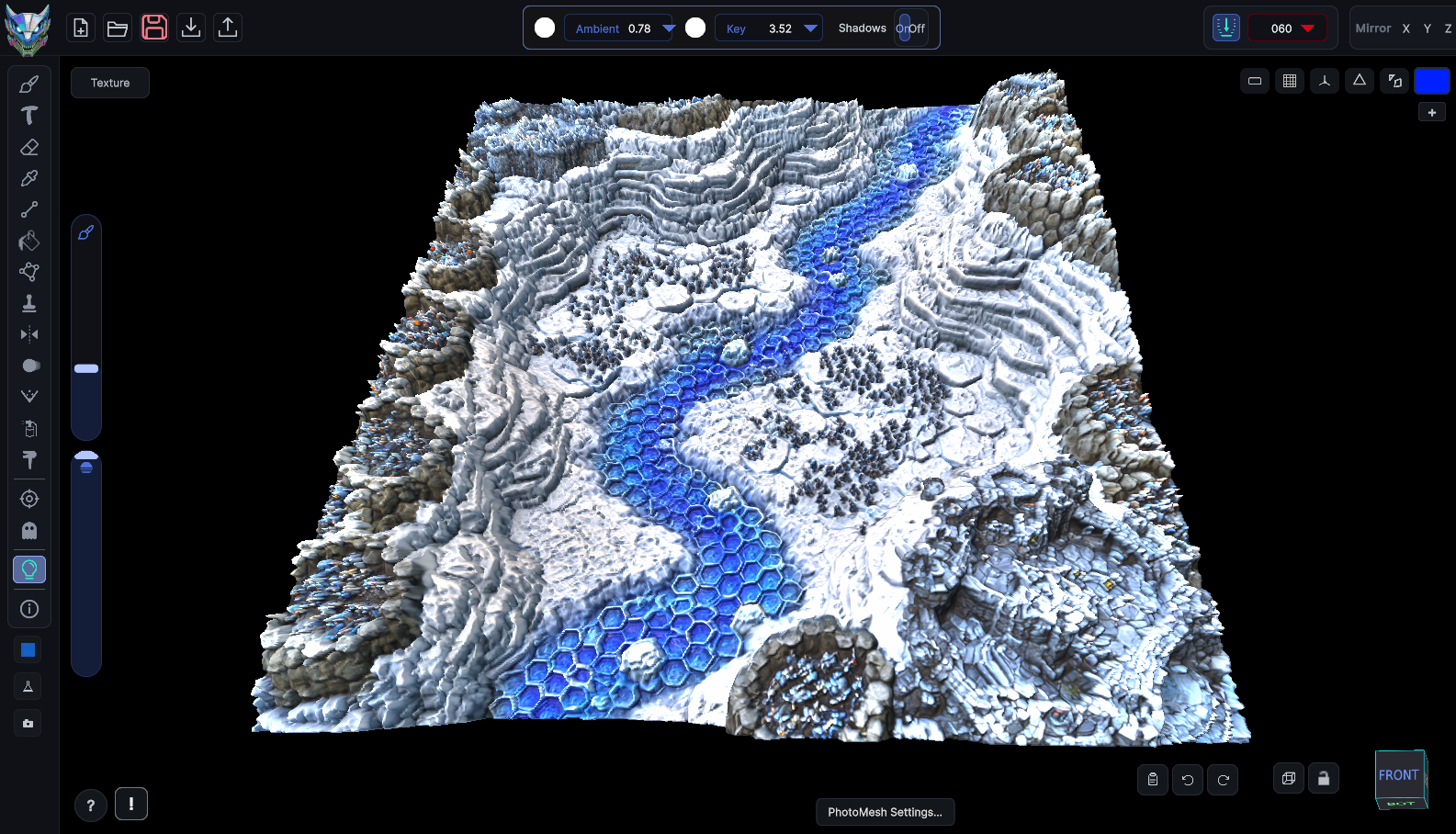
A snowy battle-map terrain generated as 3D geometry in MechaPaint from a flat image

PhotoMesh

A flat image turned into real relief geometry and painted in place, lighting driven live from the top bar.

icefight3d.pngPNG, 1585 x 908

MechaPaint running beside LightWave 3D Modeler, with the same model open in both and its surface list intact

Native file support

A LightWave .lwo opened directly, surfaces and layers intact, beside the application that made it. Same story for FBX, OBJ, Collada, USD and the rest.

LWSurfaces.pngPNG, 1919 x 1036

More painted work, all of it made in the app, is in the gallery.

Fact sheet

The short version, for a spec box or a roundup entry. Also available as a plain text file.

Name
MechaPaint
What it is
A standalone 3D painting application. Open a model you already own, paint directly on it in 3D, and export new textures without touching the original files.
Developer
Chilton Webb
Platforms
Windows and macOS. One license covers both.
Price
39.50 USD during the launch sale, regular price 79 USD. One-time purchase, perpetual license, no subscription.
Free version
The complete application, every tool, no time limit. Exported textures carry a watermark until you buy.
Import
FBX, OBJ, LWO, Collada, USD and other common formats, by drag and drop or file dialog.
Export
PNG textures, merged or per layer, per submesh or whole model. Source files are never modified.
Standalone
Runs on its own, with no engine or host application required. Works alongside Blender, Maya, Cinema 4D, LightWave, Unity, Unreal, Godot, or nothing at all.
Input
Mouse, or pen tablet with high-frequency pressure sampling and per-user calibration.
Press contact
[email protected]
Community
Discord

Boilerplate

Written to be pasted as-is. Take the length that fits.

One line. MechaPaint is a standalone 3D painting app for Windows and macOS that opens the models you already have, lets you paint on them in 3D, and hands the textures back without touching your originals.

One paragraph. MechaPaint is a standalone 3D painting application for Windows and macOS. It opens FBX, OBJ, LWO, Collada and USD files directly, paints on the mesh in 3D with brushes, photographic references, projection and cloning, repairs or rebuilds broken UVs when a model arrives without usable ones, and exports clean PNG textures per layer or per submesh. It runs on its own, with no host application or engine needed. It is a one-time purchase with a perpetual license, and the free download is the complete application with watermarked exports.

More to draw on

If you want detail past the fact sheet.